
eBay Seller Profit Tracker (UK)
Our eBay profit tracker is a spreadsheet for UK sellers. Log each sale once, then see your fees, postage, profit, margin and how long each item took to sell.
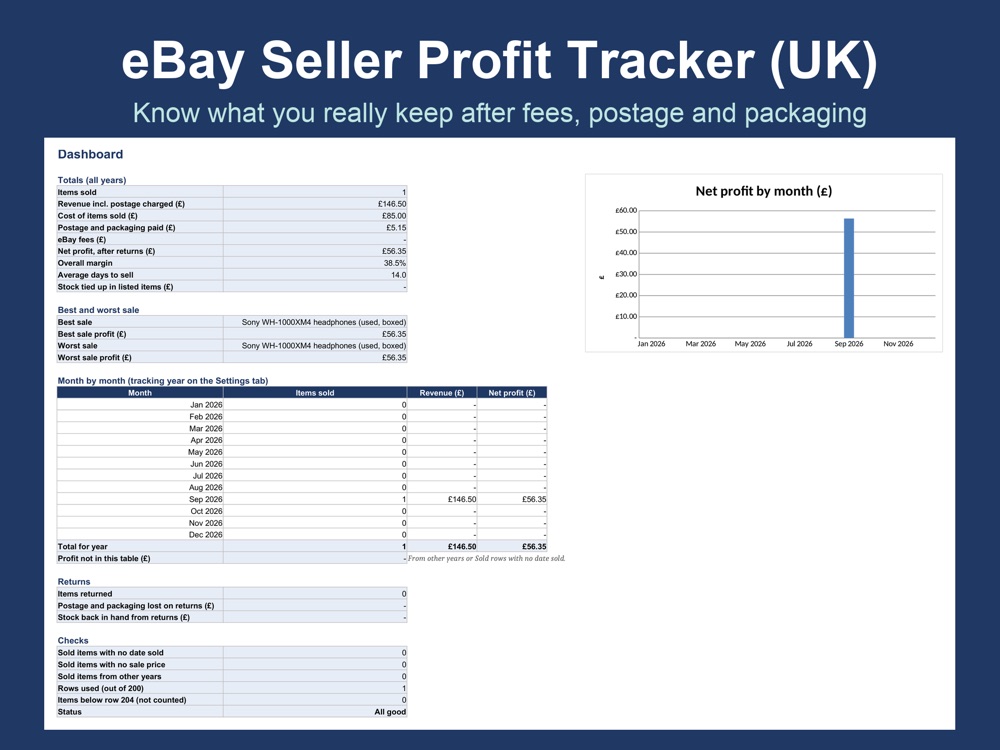
Know what you really keep from every eBay sale
Most sellers know the price an item sold for. However, fewer know what they keep after eBay fees, postage, packaging and what the item cost. So this spreadsheet does those sums for every sale and adds them up for you, in pounds and UK dates.
- Sales Log for up to 200 items
- Private or Business seller fee settings
- Dashboard with your best and worst sale and a monthly profit chart
- Price calculator for your lowest listing price
- Instant download, nothing posted to you
Sold in our Etsy shop, WebForSmall. Etsy takes the payment, then gives you the download.
What is inside
Five tabs that work together. The figures in the pictures are examples.
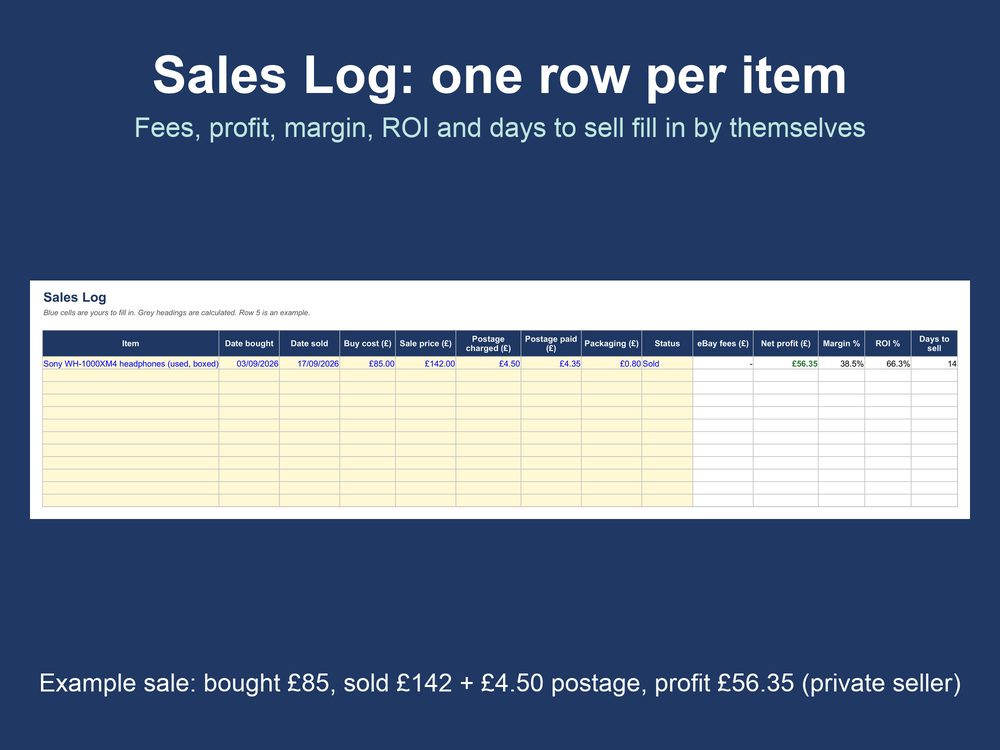
One row per item
First, type what the item cost, what it sold for and your postage. Then fees, net profit, margin, return on cost and days to sell fill in by themselves. The example row, for instance, is a private sale: bought for £85, sold for £142 plus £4.50 postage, profit £56.35.
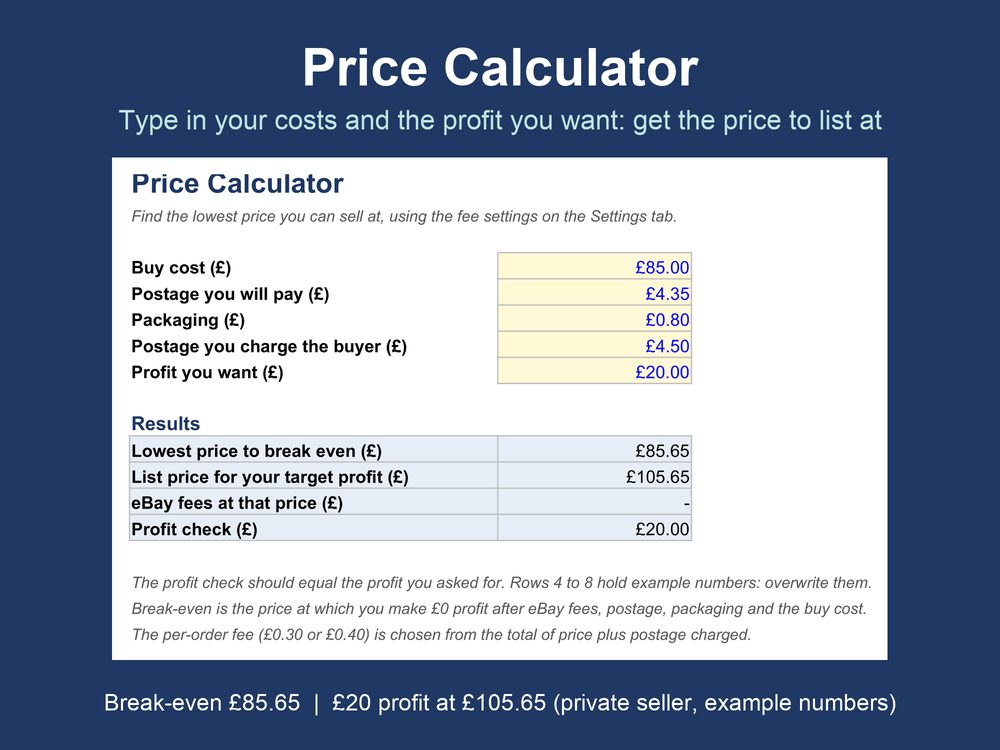
A price calculator
Type what you paid and the profit you want, then it shows the lowest price you can list at and the price that reaches your target. For example, break-even is £85.65 and £20 profit needs £105.65.
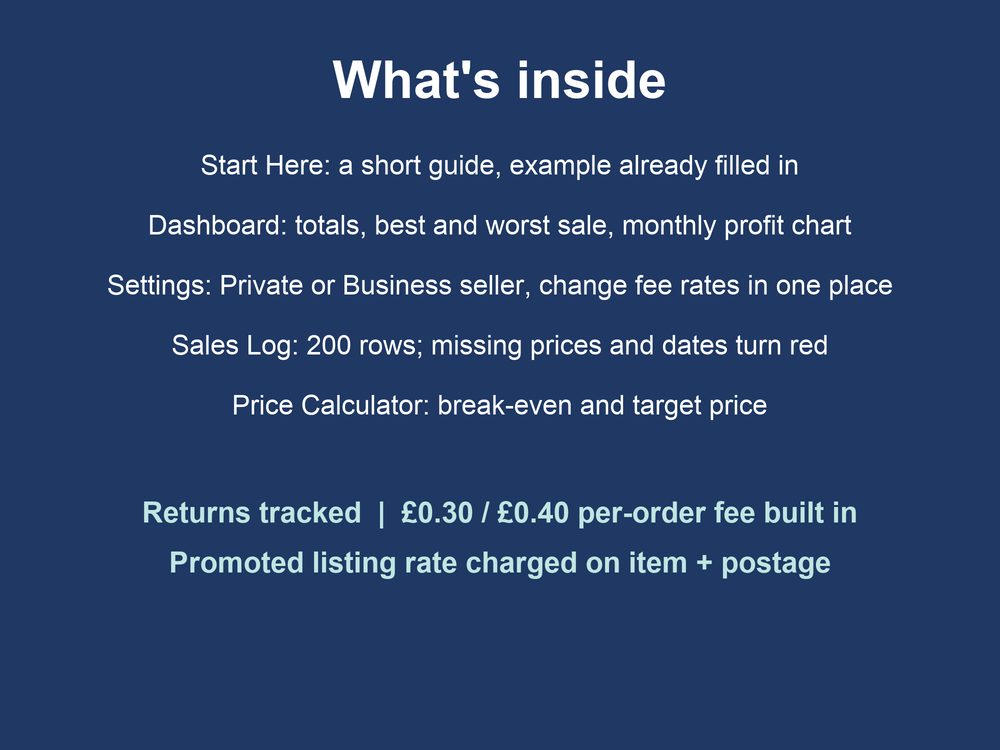
Five tabs
Start Here (a short guide), Dashboard (totals and a chart), Settings (Private or Business seller and every fee rate), Sales Log and Price Calculator. It also tracks returns, and a sold item with a missing price or date turns red.
Questions about the eBay tracker
Quick answers before you buy.
What do I get?
One spreadsheet file (.xlsx). It is an instant download, so nothing arrives by post.
Which programs does it work in?
It is a standard .xlsx file, so there are no macros and nothing to install. We tested it in LibreOffice. We built it to open in Microsoft Excel and Google Sheets too, but we have not yet checked it in those two, so open the file once after you buy and tell us if anything looks wrong.
Are the fee rates up to date?
We checked the rates in the file on 5 November 2026. eBay changes its fees from time to time, so compare the Settings tab with your own fee statement and change any rate in one place.
Can I return it?
Because it is a digital file, we cannot accept returns once you have downloaded it. If anything does not work, message us on Etsy so we can help. This does not affect your statutory rights.
Was AI used to make it?
Yes. We designed it with the help of an AI assistant, then checked it ourselves before sale.
Is this tax advice?
No. It is a record-keeping tool, not tax or financial advice, and it is not affiliated with or endorsed by eBay.
Where do I buy it?
On Etsy, in our shop WebForSmall. Etsy takes the payment, then gives you the download.
Does it help with my tax return?
It keeps a record of every sale in one place: what you paid for each item, what it sold for, the fees and postage. It does not fill in or file a tax return for you. Our guides explain Self Assessment for online sellers and allowable expenses for online sellers.
Get the free eBay profit tracker (lite)
A one-tab spreadsheet that shows what you really earn on each sale, after fees, postage and costs. Enter your email, then we will send it to you, plus the occasional seller tip.
Ready to see what you really keep?
Get the tracker from our Etsy shop and download it straight away.
Want to try the sums first? Use our free eBay fee calculator, see everything in the shop, or get in touch about a website for your business.